

Tables
Tables can be added to Text Blocks using the HTML editor to organize information into rows and columns. Tables should be used to present data, not to control the layout or positioning of content on a page. Both standard and searchable tables are available
Keep tables simple and easy to read. Use clear column and row headings, and include a descriptive table caption to provide context.
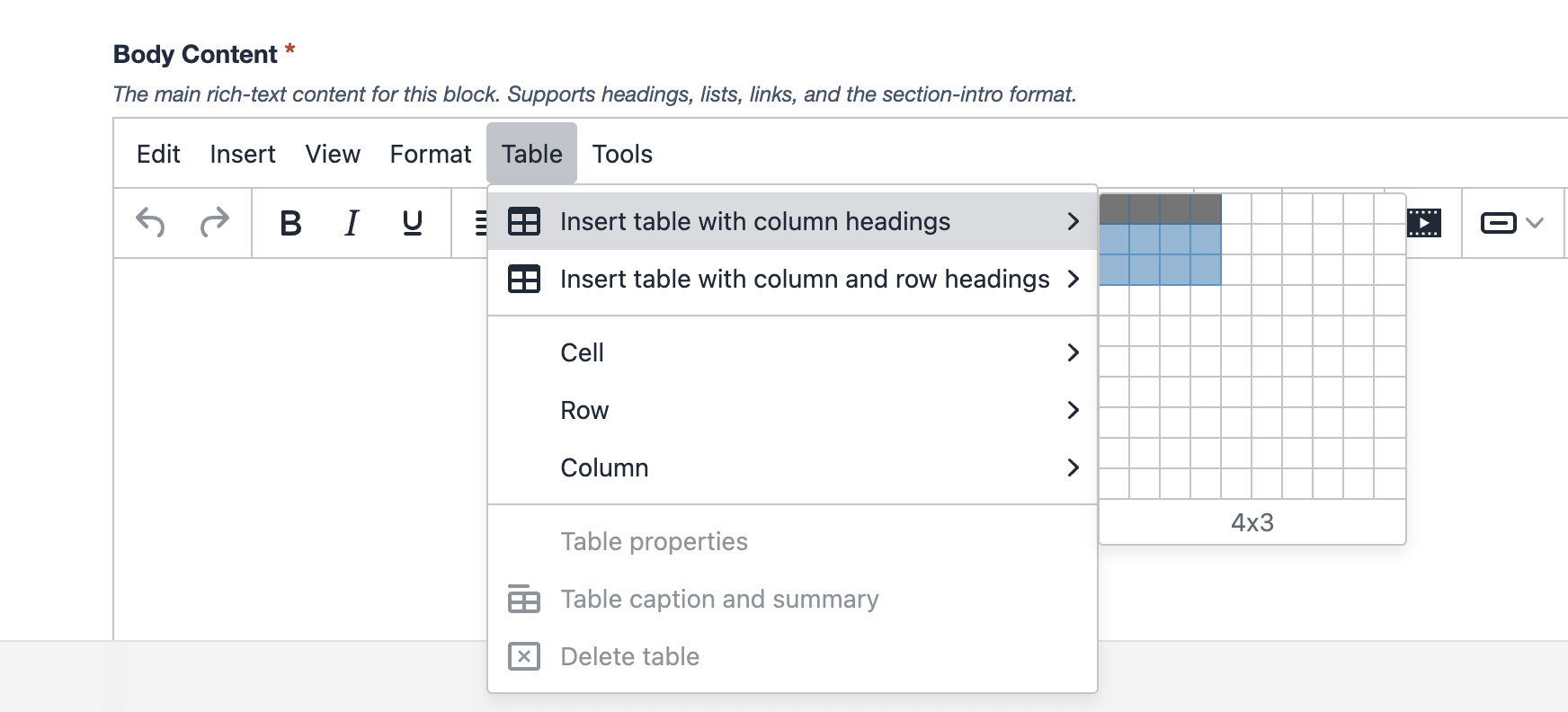
View standard and searchable table examples below.
Standard Table Example
| Department | Service | Location |
|---|---|---|
| Admissions | Undergraduate Admissions | Student Center |
| Financial Aid | Scholarships and Grants | Student Center |
| Registrar | Course Registration | Student Center |
| Career Center | Career Advising | Student Center |
| Library | Research Assistance | Arthur Lakes Library |
| Student Life | Student Organizations | Student Center |
| Information Technology | Technical Support | CTLM |
| Campus Safety | Safety Services | Campus Safety Office |
| Housing | Residence Life | Residence Halls |
| Dining Services | Campus Dining | Student Center |
| Graduate Studies | Graduate Student Support | 1600 Jackson |
| Wellness Center | Health and Counseling | Student Wellness Center |
Searchable Table Example
| Department | Service | Location |
|---|---|---|
| Admissions | Undergraduate Admissions | Student Center |
| Financial Aid | Scholarships and Grants | Student Center |
| Registrar | Course Registration | Student Center |
| Career Center | Career Advising | Student Center |
| Library | Research Assistance | Arthur Lakes Library |
| Student Life | Student Organizations | Student Center |
| Information Technology | Technical Support | CTLM |
| Campus Safety | Safety Services | Campus Safety Office |
| Housing | Residence Life | Residence Halls |
| Dining Services | Campus Dining | Student Center |
| Graduate Studies | Graduate Student Support | 1600 Jackson |
| Wellness Center | Health and Counseling | Student Wellness Center |